About The Book
| Author | John Miller and Chris Fornell Scott |
| Target Age | 7–12 years (approx.) |
| Key Subjects | Physics, Engineering, Biology, Math |
| Format | Project-based / Lab Style |
1. Introduction
There is no avoiding the popularity of the game Minecraft. It’s quite fascinating how it can be really since this game has been around since 2009 – I’d struggle to think of any other game with this level of longevity. When I first tried to play it – I realised that it wasn’t that compatible with my personality. Being a pretty goal oriented person – the concept of a sandbox game where there are no real rules or objectives made it hard for me to engage with. Having started in the default Survival mode – I worked out how to build myself a crude house before it got dark and the monsters came out to get me. And then I found myself wondering – ‘Now what?’. I didn’t get much further into the game after that.
Fast forward many years to when my kids were introduced to the game by my husband, I found myself wondering again how anyone might feel motivated to build random structures for absolutely no reason at all. Obviously I was, and am completely aware of how popular this game is with other adults and children alike – I’ve just never really understood why. It turned out that my children (now aged 7 and 10) didn’t have my problem with the lack of objectives – they took to the game straight away. Observing them play I found that they both have different ways of playing. My eldest Lily is a bit obsessed with animals and has spent hours constructing enclosures for all the animals with their own feeding troughs and labels as to what foods each species likes to eat. [To be honest – in real life the zoo would probably get shut down as the animals barely have enough room to turn around – but my remarks on this have largely been ignored..] Meanwhile, my son seems to have a much more serendipitous way of playing – some days he will build forts, and other days a taco stand. They both play exclusively in Creative mode (more on this later), where there is no limit to the resources they can access.
Anyway, so when this book caught my eye I thought it would be a great chance to explore whether this game really does in fact offer the sort of learning opportunities that the title suggests. Can this game of building random things really be used as a tool to teach STEM? Since I set up this blog to share STEM resources with other like-minded parents/carers I thought I would include a review of my experiences with this book.
Just for information: The Unofficial Minecraft STEM Labs for Kids is the second in the series. I haven’t got or even seen the first book so this review is not based on any previous experiences.
2. Core Content & Structure of the Book
The book opens with a general explanation of Minecraft – this is largely for the benefit of the supporting adult. There are basic instructions for game controls, descriptions of the most important blocks and what they are used for, and what the main game modes are for anyone who is unfamiliar with the game. There are also some bios on various people (Minecraft players) who give their views on the skills that can be developed by playing the game.
Following the introduction the book is then split into Quests and Labs. The book contains 6 quests in total, with 4 labs in each quest. There is also a handy little glossary at the end, as well as a table listing the STEM concepts covered by the different chapters.
Quests
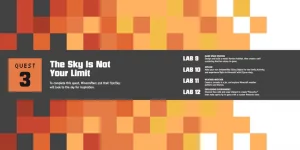
Each quest can be seen as a general theme or topic. For instance, Quest 1 is called “Pistons, Rails and Redstone”. Each of the 4 labs in this section uses something called redstone which is a source of power in Minecraft. As the title suggests, pistons and rails are also involved.
Labs
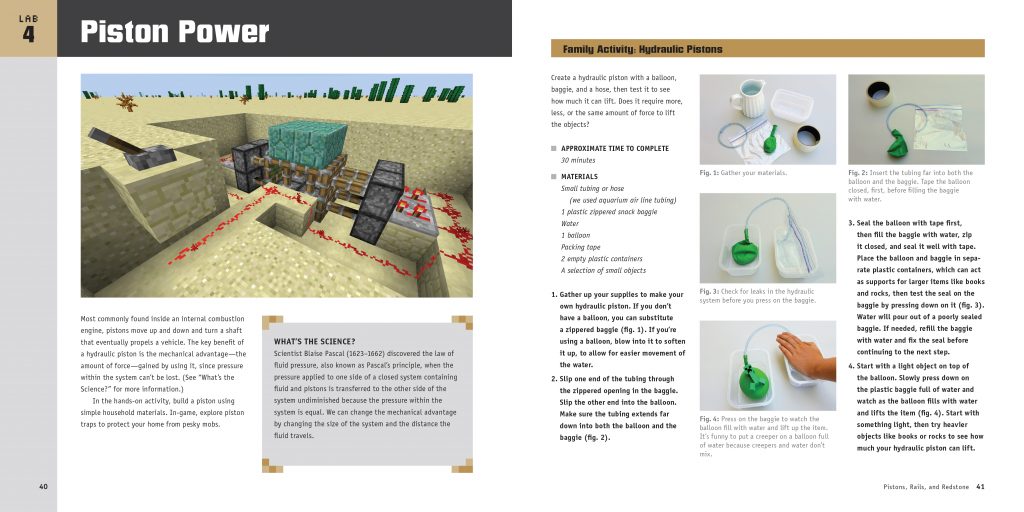
Each lab is a separate project. They aren’t really built upon previous labs (generally) and so can be done in any order. The book gives an approximate time to complete each activity which is helpful for planning.
Each lab is split into 2 activities. The first is a physical activity/experiment. These use real life materials to explore different STEM concepts. For example, the very first lab contains an activity to make a solar telescope from a cardboard box and white paper. All the materials required for each activity are clearly outlined, and there are well written instructions and photographs to show the different steps. Most labs have a little section to explain the science involved in the activity. I found these to be written in a very child friendly way.
The second activity in the lab involves actually playing Minecraft. The lab defines which game mode you need to be in (usually creative) and then outlines some instructions for what you need to build. The objectives are sometimes quite general, with a few specific directions for building things.
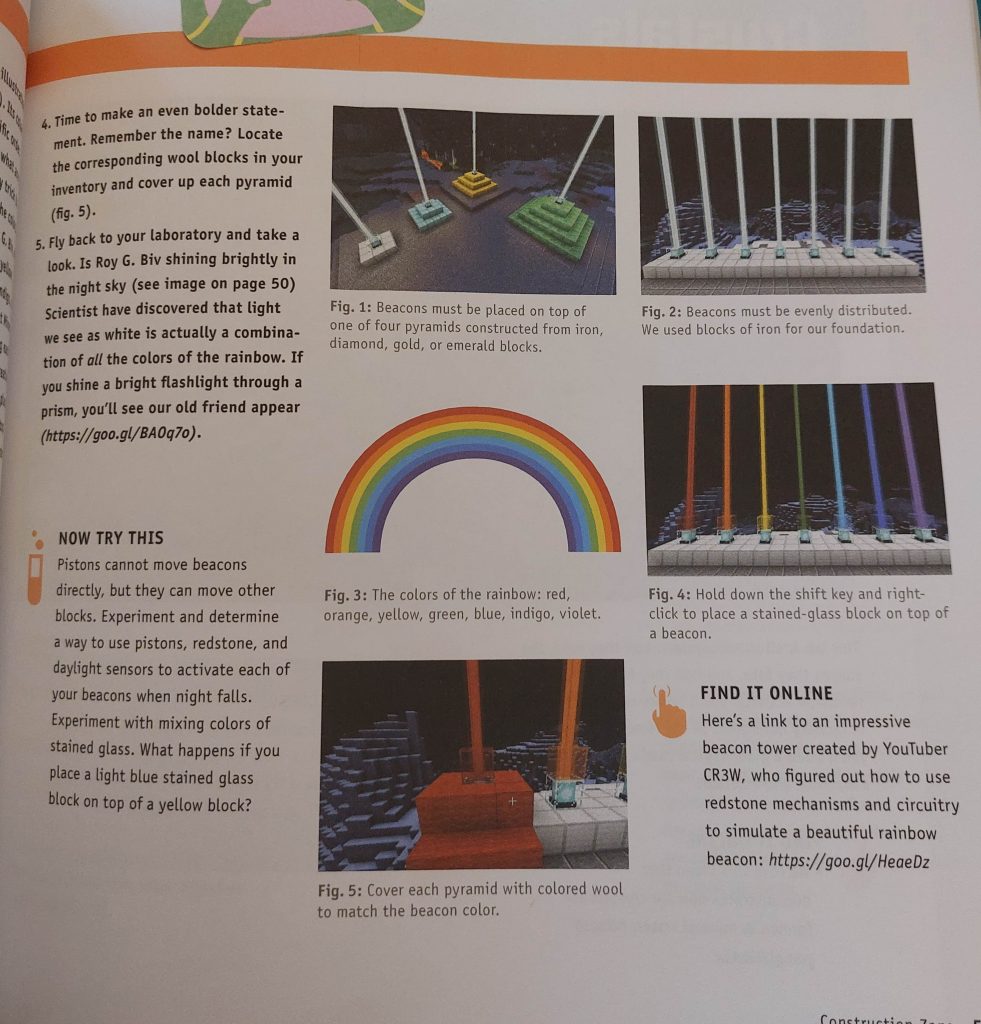
As an example, in Lab One the goal is to build a science laboratory. Additional objectives are to add daylight sensors to turn the lights on when it gets dark, create a doorbell, and use pistons to make tables for the lab. There are some guidelines for the general size and physical shape of the lab (such as having a flat roof with stairs) but otherwise the book leaves the reader to design the lab as they like, using whatever materials they like. There are screenshots to show you how things might look, or to give you ideas for your own creation.
As well as the general instructions, each lab might include some challenge activities, and sometimes web links to real life examples of Minecraft builds to look at on the internet.
3. Comments on the structure and content
The physical activities have a good variety and level of appeal. I flicked through the book with my son and he was very enthusiastic about trying many of the activities. Most activities are easily do-able in the sense that you don’t need to go out and buy expensive or hard to acquire materials. Each activity is relevant to the theme of the chapter as well as to the Minecraft activity following it so quite high in educational value. The photographs are also high quality enough to be able to see quite clearly what is being shown with easy to follow instructions.
The Minecraft activities also have a high level of appeal. My daughter went through the whole book herself and stuck sticky notes on all the labs which she particularly wanted to do. These also have a good variety with both visual and functional appeal. I particularly liked the open-endedness of some of the objectives as it gives scope for the child to make their own interpretation of what the final result can look like.
The extra little notes peppered around the chapters are a nice touch and extend the life of each lab. The urls that I checked out all worked (even though the book was printed 8 years ago) and contain interesting links to YouTube videos and wiki/help pages which were all worth visiting.
4. Using the book as an adult
As per my introduction – I would consider myself a Minecraft novice. I was familiar with the concepts of destroying blocks and creating blocks and the crafting table but beyond that – it’s all new territory.
In order to evaluate this book properly, I decided that I would pick 4 labs to complete myself, and 2 labs that I would facilitate my two children to complete. For the labs involving my children, we would do the physical activities as well as the game based ones.
For myself I picked 4 labs across 4 different quests – with the first being Lab 1 in Quest 1. (This was the one where you had to build a science lab.) I started the game in Creative mode as per the instructions, and since my character spawned (appeared) in a place right next to a nice lake – decided that was where my lab was going to be.
This was around the point where I got a bit stuck. I leveled out a section of land easily enough – but when it came to the task of building walls, I did not know how to ‘find’ the material I wanted or needed. The book explains how to move your character, put things down and destroy things. It also explains how to cycle through the 9 slots in your inventory – but nowhere does it explain how to put things into your inventory. Google helped me on this front (Press the ‘E’ key to access the inventory if you are playing on a PC) and I had to spend some time to become familiar with how to search for things.
It took me an incredibly long time to even create a layout of my lab. You have to dig out each block individually, and then stick a new one in. Since I wanted a large lab – the ground floor took me a good twenty minutes by itself!
Once I’d completed the structural tasks and started on the mechanisms – things became a lot more fun. The first mechanism described in the lab is a daylight sensor attached to some note blocks – the idea is that when the sun comes up you will hear a nice chime. This was my first experience creating a ‘circuit’ in Minecraft using redstone and I was pleasantly surprised how intuitive it was – at least when it came to a simple straight line circuit.
After completing the first lab I discovered how easy it is to lose track of time playing Minecraft and I recognise that in my kids now when they play it. There is no mindlessness in it – you decide you want to build something and then follows a significant level of focus and problem solving required in order to execute that idea. It is very easy to go off at a complete tangent just because a light of fancy takes you.
At one point I decided that I needed a door to my lab (obviously). I didn’t want to have monsters roaming around my space after all. Upon choosing a nice Oak door – I that it was too small. Sure, my character fits through it well enough but I wanted double doors. Only then I found that it was too laborious to have to manually open both doors in order to go through it, and then have to shut both separately behind me (I have good habits, even in game land!). The obvious solution to me was to have a lever to open the door so I did that. But the lever only opened one of the doors. So I stuck another lever next to the other door.
Next problem: I still had to pull both levers to open both doors. Finally, by pure experimentation I connected the two levers with redstone in a circuit and voila! I can pull either lever and it opens both doors simultaneously! It’s hard to describe the sense of satisfaction that simple discovery gave me but looking back, I think it is exactly this that makes Minecraft the powerful learning tool for STEM that it is. There are no instructions – only journeys of discovery, trial and error. Failure and success. What happens if I do this?
Anyway, across the other 3 labs that I completed I:
- Made an array of different types of fireworks, and set them off remotely using a trigger switch
- Engineered a volcano and made it erupt in a spectacular fashion from a safe distance
- Built myself a house near my lab and made a teleportation device so I could beam myself from home to ‘work’ at the press of a button. Got a bit sidetracked building a nice bathroom upstairs and then discovering it leaked through the ceiling downstairs..
5. Using the Books With Children
In between doing some of the labs myself – I decided to try two of the labs with my own children when they were not at school. The first lab I picked was Lab 12 – “Explosions Everywhere”.
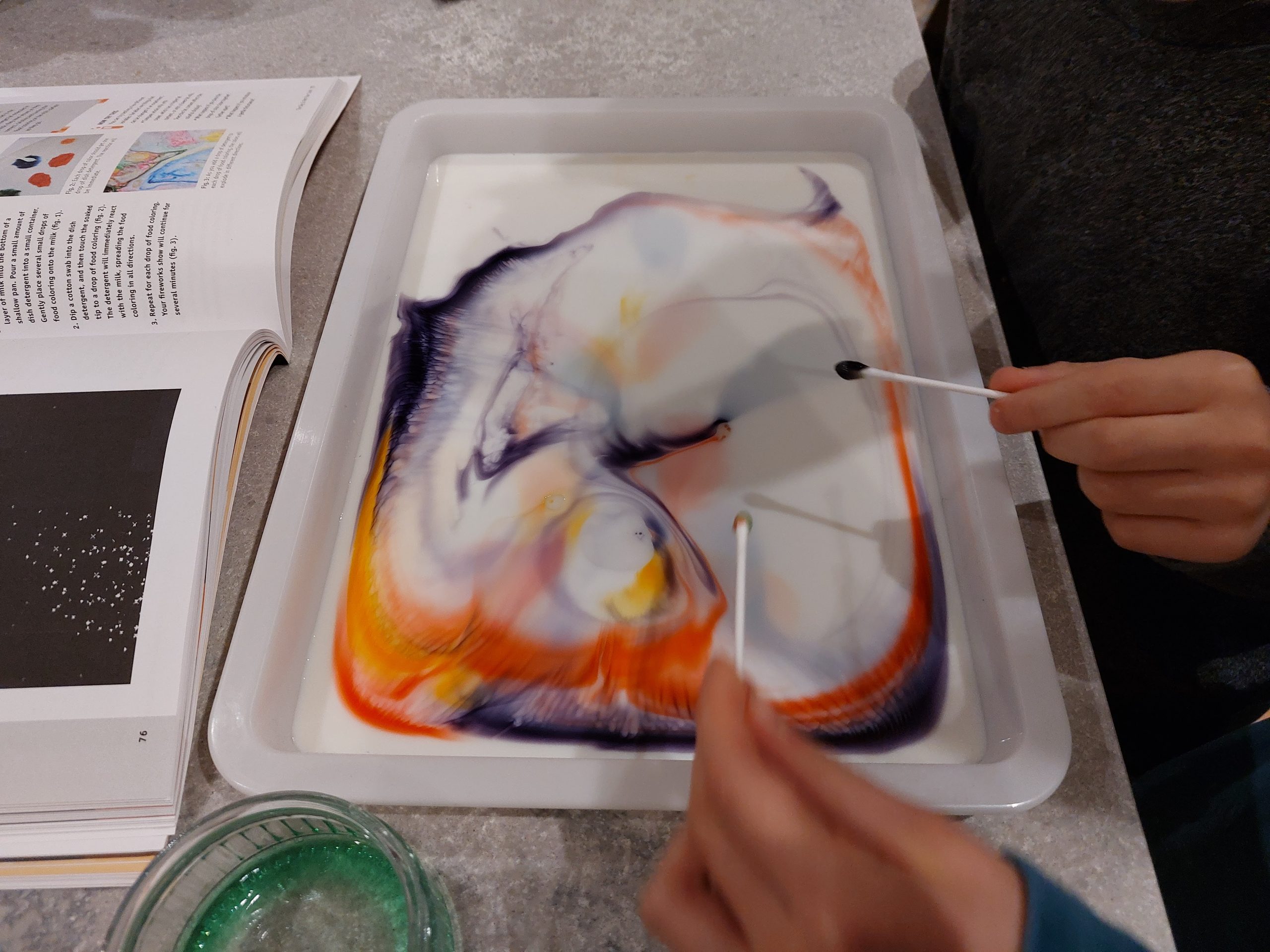
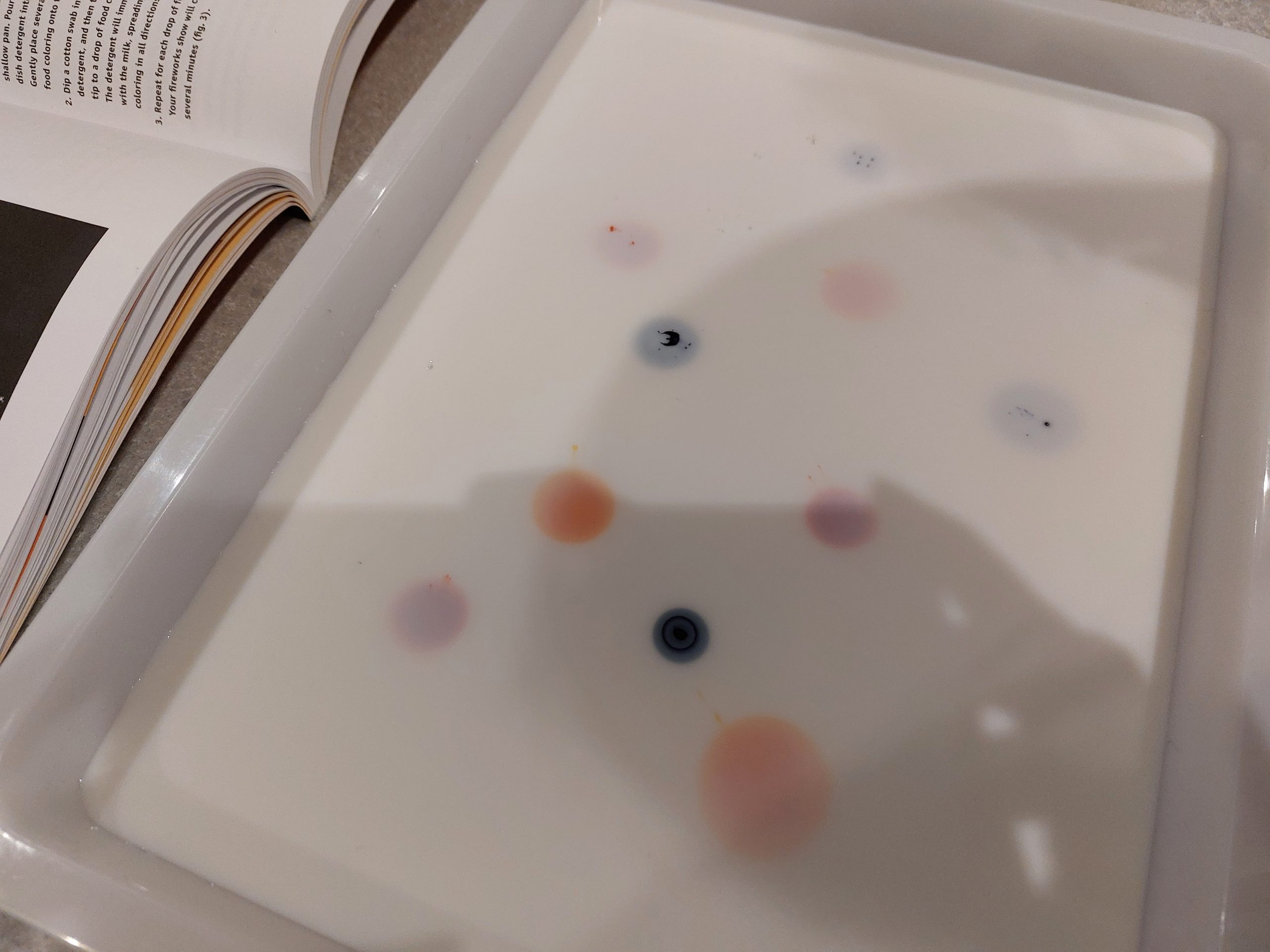
For the family activity we had to add food colouring to milk and make lovely bursts of colour by touching swabs coated in washing up liquid to the food colouring. I provided the materials, got my eldest to read out the instructions and both children took turns to follow them.
This was a lovely and simple experiment to do with children – with very visual results which they loved. Obviously they wanted to keep adding colours and washing up liquid until everything inevitably turned brown.
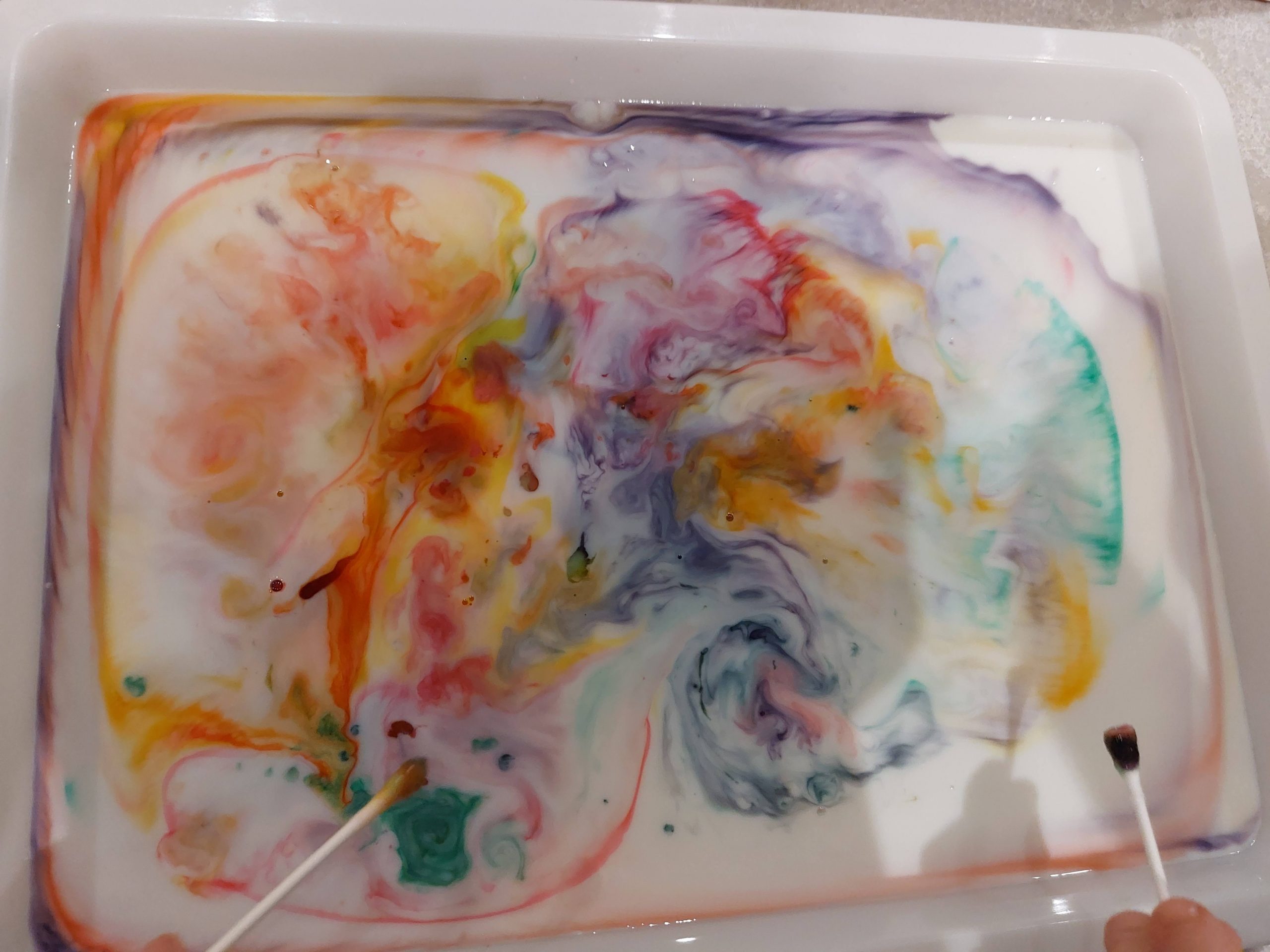
For the minecraft activity my kids made it a team effort. We have a subscription to Realms (paid subscription so they can play on different devices in the same world) so they could each have their own characters to control. Lily delegated some of the grunt work to Frankie (creating different coloured firework stars) whilst she constructed the fireworks and rigged up dispensers set them off in. She had no trouble following the instructions in the book by herself although we did have some initial issues with the crafting..
Note about Creative and Survival Modes
There are 2 main modes that you can start Minecraft in. In Survival mode you start with nothing. You have to bash things and ‘mine’ for materials – ie bashing a tree renders you wood that you need to make a torch ( you will also need coal). You need to use something called a crafting table to craft things from the materials you have gathered. If you don’t have the correct material – you simply can’t make the item so you are then incentivised to explore the world in search of useful materials. In the meantime you will encounter peaceful creatures during the day, whilst as soon as it gets dark a variety of monsters will appear and attack you. Your character can die and all the stuff you accumulate will get left at the place you died.
Creative mode is completely different in that you start the game with the ability to just magic any item into your inventory. You can search for say: a diamond axe and the game will let you stick it in your bag (so to speak). The monsters still appear but they do not attack you and your character cannot die. This mode of gameplay makes Minecraft appealing to younger players as there is no stress involved – only the fun of building.
Going back to my review – I must mention one of the drawbacks of playing in Creative mode – as we discovered during this lab. It turns out that because they had never needed to craft anything (everything is freely available), neither of my kids knew how to use a crafting table. This meant that we had to take a small detour to learn how to craft things which is in itself a great way of learning about what things are made from. It certainly wasn’t hard for them to get the hang of it quite quickly.
I left my kids to finish their task and told them to get me when it was time for the fireworks show. Needless to say – we were all very impressed with the final result. We also followed one of the links recommended in the book afterwards as well to check out some cool firework effects that other people had made.
The second lab we did was Lab 15 – Volcanic Activity which involved a kid-friendly messy experiment with vinegar and bicarbonate of soda.
For the minecraft part of this lab they had to pack a mountain full of lava and TNT and detonate it to create an erupting volcano. I had already done this lab myself first – I wanted to see if both of my kids would have the same issues as I did, and also whether my younger child would be able to follow the instructions.
There was an interesting moment where Lily accidentally stuck some lava in the wrong place and it immediately started flowing out of control down the side of the mountain. She managed to work out how to stem the flow by throwing water on it and turning it into stone. This was a great moment of applying real life principles and seeing if it also mapped to the rules in Minecraft.
6. Remarks and Considerations
Skill Level Requirements
Although the book does explain some of the basics about Minecraft at the beginning of the book – I don’t feel that this book is really aimed at complete beginners of the game. This isn’t to say that it is inaccessible to beginners – but if you/your child are complete beginners you will need definitely need access to some resources to help you with the labs and also to navigate the game. Thankfully there are tons of websites and YouTube channels available so the answers are easily found. Obviously having to look up how to do things will make each task take a bit longer than stated!
Interface Issues
Minecraft is available on a variety of platforms now; you can play it on a PC/laptop, Playstation, Nintendo, XBox and on mobile devices. It isn’t massively important which one you play it on – but it’s important to note that the controls are a bit different across the platforms. On a device with a keyboard you use keys to move your character around, whilst if you have a controller you can use a joystick and so on. The way you perform certain actions can be different though and not necessarily intuitive. The book is mostly platform agnostic – but for example, in Lab 20 the instructions say to press the Shift key before right clicking, which is of course impossible if you don’t have either a keyboard or mouse. If you want to do the same thing on say a Playstation controller, you will need to depress the left stick (crouch) and press one of the buttons.
The book also doesn’t offer much help in the way of ‘how’ to perform certain actions, so in these scenarios you will find Google very helpful!
Supervision Levels
Quite a few of the physical activities/experiments will involve some level of adult supervision or assistance – depending on the age and ability of your child. I would expect this for most science experiments to be honest but it’s worth mentioning. I had to schedule time to do the physical activities so my children wouldn’t feel disappointed from me not being able to help them.
7. The Verdict
Overall, I would highly recommend this book to any educator, caregiver or parent as an excellent resource for exploring scientific principles in a hands-on and fun way.
Younger children (maybe 7 and below) will need support in order to interpret the instructions – and in this scenario I would recommend spending some time familiarising yourself with the controls in order to do so. Older children will have no problem following the book, but unless they are highly experienced Minecraft players even then it is likely that access to online Wiki pages may be required to complete some of the tasks. This isn’t down to any shortcoming of the book – it is just because there is so much to Minecraft that it would be impossible to include instructions for everything. In some ways this is even a plus point as I learned some interesting things myself whilst I was looking things up. (Whatever you do, don’t look up at what a comparator does and how it works because it might hurt your brain)
I would recommend this book for both seasoned Minecraft players as well as beginners. The ideas for the labs in this book are just a starting point for exploration – each lab can be extended in any number of different ways. It has been a joy to share this book with my children – we have had discussions in the car on the way home from school about other things we could do to extend the lab tasks. Being able to share ideas and discoveries has been an unexpected benefit – and the tales of comedy failures (I managed to flood my lab about 5 times trying to construct a fishtank).
Disclaimer
Please note that I purchased this book with my own money and have not been incentivised by anyone to write this review. Any opinions I have shared are strictly my own (and my kids). That said, if you like the sound of this book and feel like supporting my work – you can purchase your own copy here using my affiliate link!